|
(1)
|
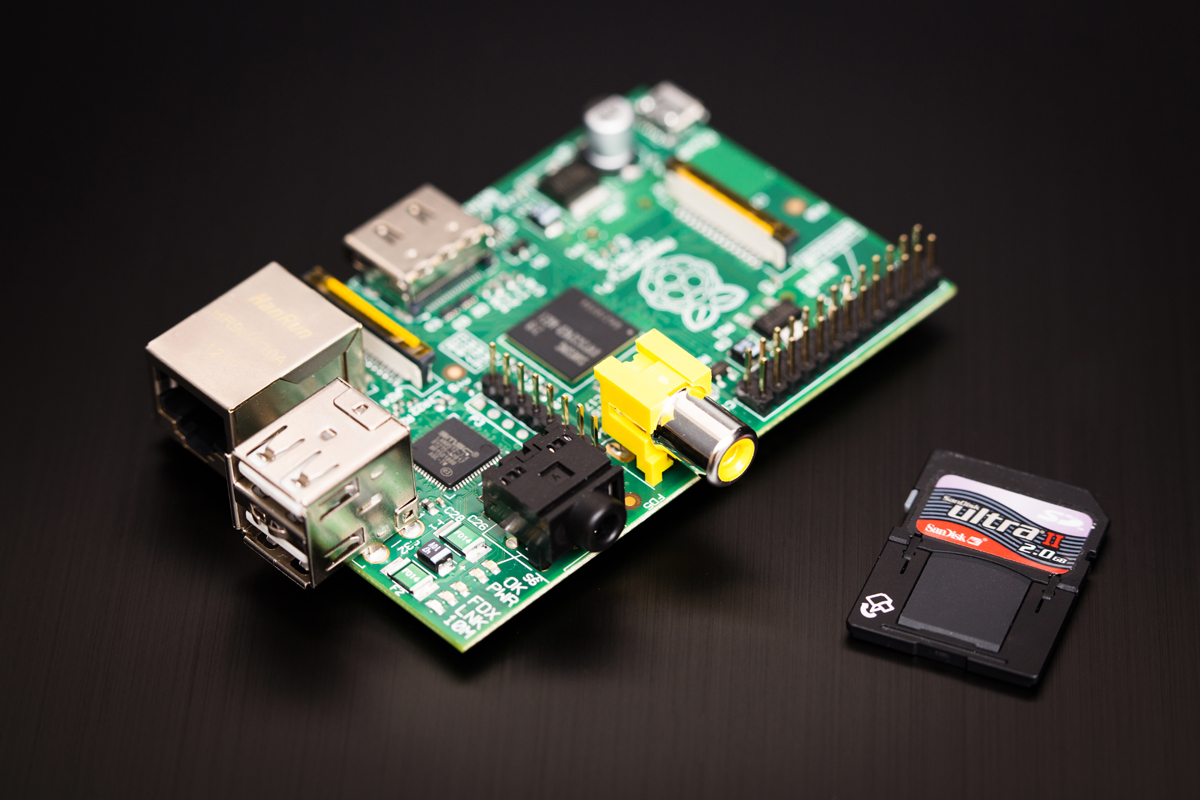
I have heard lots anecdotally about the use of Raspberry Pi in schools and there has been some talk about them “gathering dust in school cupboards”(2). and questioning along the lines of “Do UK schools really need the Raspberry Pi?”(3). In my own experience I have seen schools use them to “do programming” where they could be best to use the suite of 30 PCs they already have.
This forced use of technology for the sake of it is neither what the Raspberry Pi was intended for or based on good pedagogy. Eben Upton stated that the idea of starting the Raspberry Pi project was to get more children programming, but this is not how it will happen.
His vision was a playground for the children to experiment and even likens the Pi to a child's bike (compared to the family car that is the PC) the Pi is “owned by the child” and “if they break it it's not a disaster, they can walk”.(4) This ownership and experimentation is not the case in a classroom of Pis attached to PCs used to do “some programming”. All this is doing is making it take a little longer to get to the programming bit that they could do more quickly and easily by using the PC they are attached to.
This forced usage comes from a well meaning desire to give pupils some exposure to a device that has become a must have in computing education. It is a very admirable thing to be able to expose the young people in our care to a range of different devices, but we should understand fully what we are trying to do with them before running out and buying a class set.
This approach seems very common in education and it it is what has led me to create this blog. We see new technology and then try and find a use for it in the classroom. Some of these technologies would be much better not used at all when they are implemented in this way (how many interactive whiteboards in secondary schools are actually used interactively?).
For the Raspberry Pi, a device that was designed to engage and interest students in computing is in danger of becoming a tool to do the opposite.(5) Without using these devices to fulfil their potential we are doing our pupils (and the devices) a disservice. we have been presented with an amazing tool and we are wasting it because of a lack of imagination or lack of flexibility in the way we manage the learning process.
We should be using these Pi to enable experimentation and self led learning. It should be a tool that allows the students to answer for themselves the “what happens if I...” questions we get asked about computers all of the time. It gives us a platform where students can try things out. They can break things and no one is going to come shouting.
“If Something goes wrong it’s no big deal - you just swap out a new SD card, and your Raspberry Pi is factory-new again” (6)
Where the Pi will add most value is where students are able to set the agenda and pursue projects that interest them. A great example of this is Amy Mather(7) who got interested in the Pi and programming after attending events outside of school. She became interested in Conway's Game of Life and programmed a version on her Pi. She went through several versions and eventually added on an external LED display. If we can create an environment in our classrooms that will encourage this kind of exploration then we will be doing things right.
The Pi was not designed as a tool to sit in rows in a classroom with. but that doesn't mean we can’t use it effectively in a school. We just need to change our approach. I also recognise that we cannot completely change the paradigm within which we operate.
To move to a more productive usage of these devices we need to find ways to help teachers bridge the gap. There are several schemes that aim to do this. One successful scheme is Sonic Pi developed by Dr Sam Aaron. Sonic Pi is an open source programming environment designed to explore and teach programming concepts through the process of creating new sounds.(8) The software comes with a scheme of work that was jointly developed with Carrie Anne Philbin (Teacher, Author (9) and founder of Geek Gurl Diaries) . The Scheme of work is designed around the new Computing PoS and teaches programming concepts in an interesting and engaging way. As an introduction to the Pi it gives students a good grounding on some key programming concepts.
If we can take this sort of scheme as a start point then find ways to allow students to experiment with less directed projects then I think we are getting closer to utilising this tool to it’s potential. Where people have allowed this experimentation in schools (mostly as extra curricular activity) there have been some amazing projects. Students have created robots, wearable devices and even sent their creations into space (well nearly).(10)
For me the ultimate utilisation of the PI would be some form of introduction and then cross curricular projects where students can be creative and make things for themselves. It would be even better if students had ownership of the devices and products. We should aim to create a space where students contribute ideas and expertise to their peers, where we could guide and direct rather than dictate we will be able to help to foster pupils natural enthusiasm. We should aim to create mini Raspberry Jams in our classrooms.(12)
This approach also meet the demands of the National curriculum, the Computing PoS explicitly mentions undertaking creative projects using a range of devices.(13)
As we are limited in our time and resources we need to think about what we can do to make the devices more classroom friendly. There are lots of products available aimed to help us to do this. Teachers worried about the robustness of the devices can find a myriad of cases designed for the Pi. My particular favourite is the Pimoroni Pibow it’s robust construction is ideal for school use. It even comes in a range of colours from Rainbow to Ninja. I especially like the fact that it does not hide the Pi away inside an opaque box.
Where we are limited by time we need to look at premade kits to add on to the PI to allow the physical computing elements to be created quickly Products such as Buzz box are the start of these but there is still work to be done. The system allows consists of modules that can be linked together to create a diverse range of products.(14) This modular approach means that devices ranging from a simple calculator to a Robot of physiological monitoring device can be built. These ready made plug and play additions can reduce the time it takes to put together a working prototype, allowing pupils interest to be maintained in the early stages of a project where failure or limited activities can be demotivating.(15)
We don't need to rely on commercial suppliers we can add some structure to give students a little direction. Provide our own kit of parts that they can experiment with until they are ready to fully strike out on their own. We can also look to our colleagues in technology to see how they approach creative "maker" style projects, they have been doing this for years. We should look at what they do best and steal it for use in our classrooms. Even better if we can work with them to collaborate on work building student led projects.
Educational suppliers are beginning to catch on to this approach and when visiting the BETT show I found a supplier already offering Raspberry Pi Project kits for use in the classroom. The kits range from breadboards and components to kits with units of work. As more teachers take this approach the range of equipment available to support us will also increase making it an easier path to follow.
I think the Raspberry Pi is an awesome piece of hardware. It is already really great used in the hobbyist context where personal interests are pursued. I think it will also be great in the classroom one we get over the “wonder device” stage where every school has got to have them without a lot of thought on why. We should be looking to see what new technologies can offer educationally rather than looking for places to shoehorn them into lessons just for the sake of it.
(6) Upton, Eben, and Gareth Halfacree. Meet the Raspberry Pi. Wiley. com, 2012.
(14) Callaghana, Vic et al. "Putting the Buzz Back into Computer Science Education." Workshop Proceedings of the 9th International Conference on Intelligent Environments 26 Jul. 2013: 454.
(15) Callaghan, Victor. "Buzz-Boarding; practical support for teaching computing based on the internet-of-things." The Higher Education Academy-STEM (2012).
(6)